
If you’ve ever asked an AI a question, and when you get the answer, you’ve thought, “That’s not what I meant at all,” then you are not alone. Any AI tool requires a well-detailed prompt rather than just a single sentence; these systems need excellent prompts. But here’s the thing: crafting prompts isn’t always simple. That’s where a Google Gemini Prompt Generator steps in to make life easier.
Think of it like having a coach that helps you phrase your request in a way Gemini instantly understands. Whether you’re writing content, analyzing data, or brainstorming new ideas, a prompt generator can save time and give you sharper, smarter results.
Curious about how a content generator can transform your workflow? Find all the answers and more on our YouTube Script Prompt Generator
What Exactly Is a Prompt Generator?
Imagine you ask your junior or a research assistant, “Find me some data on the Indian stock market.” That’s a huge task. They could come back with historical data from the 1990s, a list of 5,000 stocks, or a complex report on derivatives. It’s a gamble whether you’ll get anything useful. But if you instruct them, “Please find the year-to-date performance of the NIFTY 50 index and summarize the top 3 best-performing sectors in a bulleted list for my presentation,” you will get a clear, concise, and useful piece of information.

- The Connection: Using a prompt generator is like giving Gemini a clear and professional work assignment. You define the exact scope, the deliverable, and the format, ensuring you get valuable insight, not a random data dump.
Example:
Bad Prompt: Write about marketing.
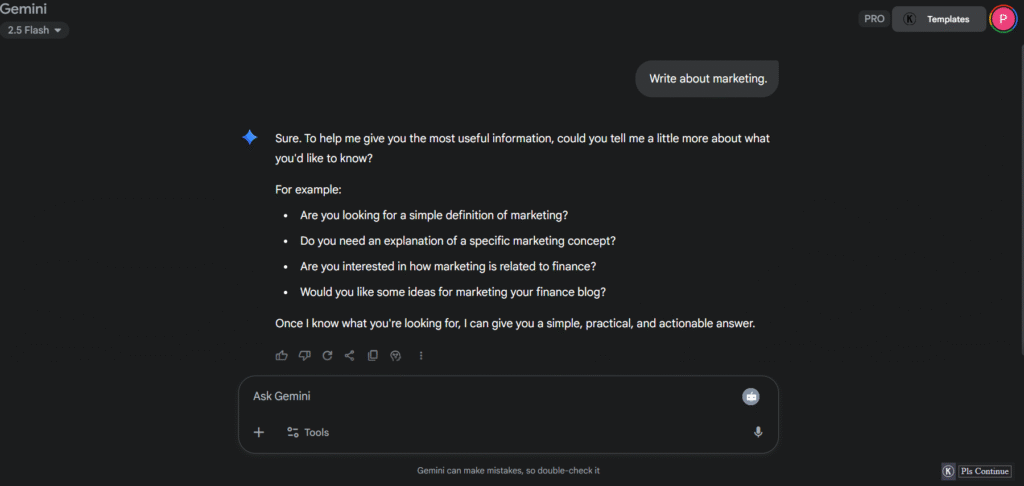
Good Prompt: Write a 600-word blog post on digital marketing trends in 2025 for small business owners, in a conversational tone, with three clear takeaways.
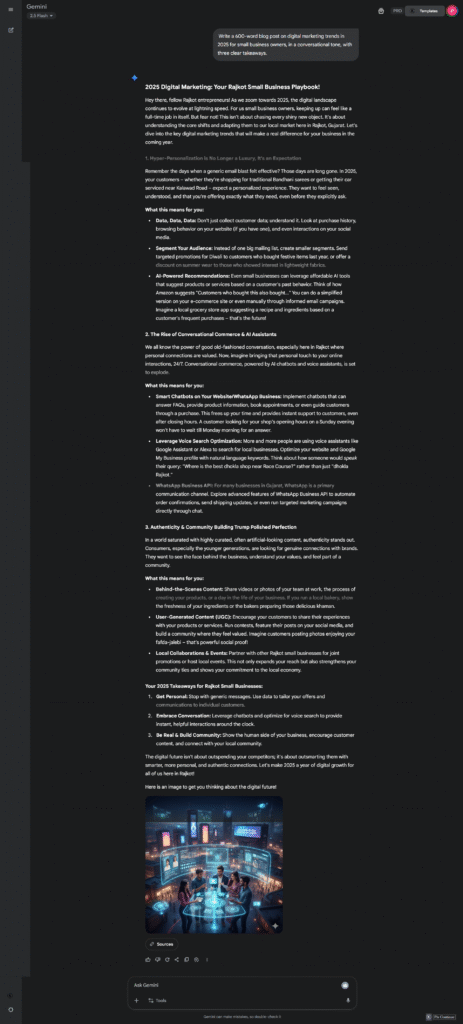
Here’s what happens: when you give proper instructions to Gemini about exactly what you want, Gemini will provide exactly what you need.
Why Bother With a Prompt Generator?
You might be thinking, “Why not just type directly into Gemini?” You certainly can. But here’s why a prompt generator is worth using:
- Time efficiency. No more rewriting the same request multiple times.
- More accurate results. The AI responds to your actual intention.
- Enhanced creativity. It often suggests perspectives you hadn’t considered.
- Reduced frustration. You avoid the hassle of interpreting confusing AI responses.
In essence, it transforms Gemini from an unpredictable tool into a reliable collaborator.
How to Use a Google Gemini Prompt Generator (Step by Step)
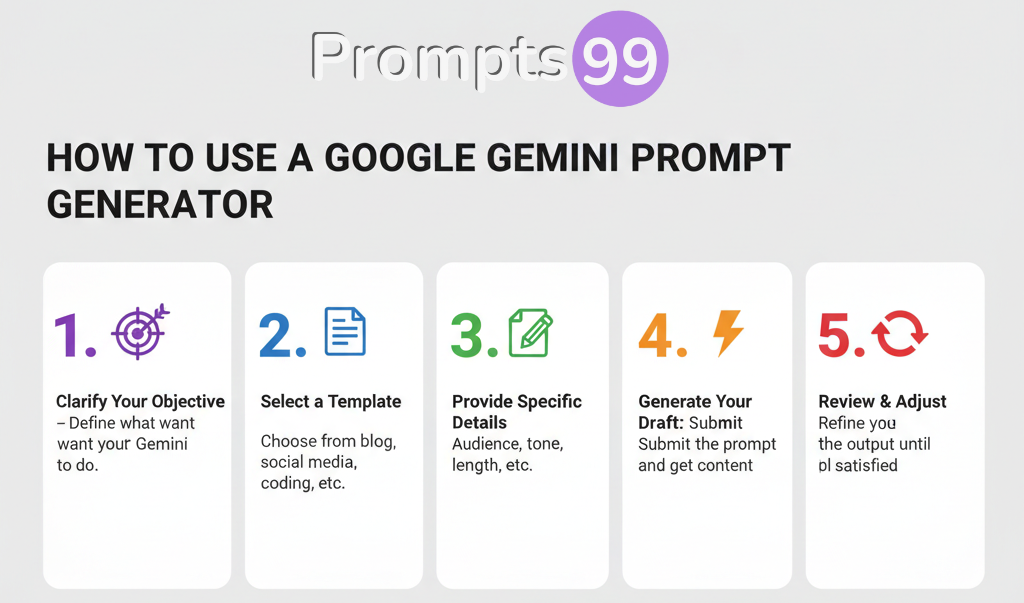
Pro tip: When you discover a prompt that delivers excellent results, save it for future use. This allows you to consistently produce similar high-quality outcomes whenever needed.
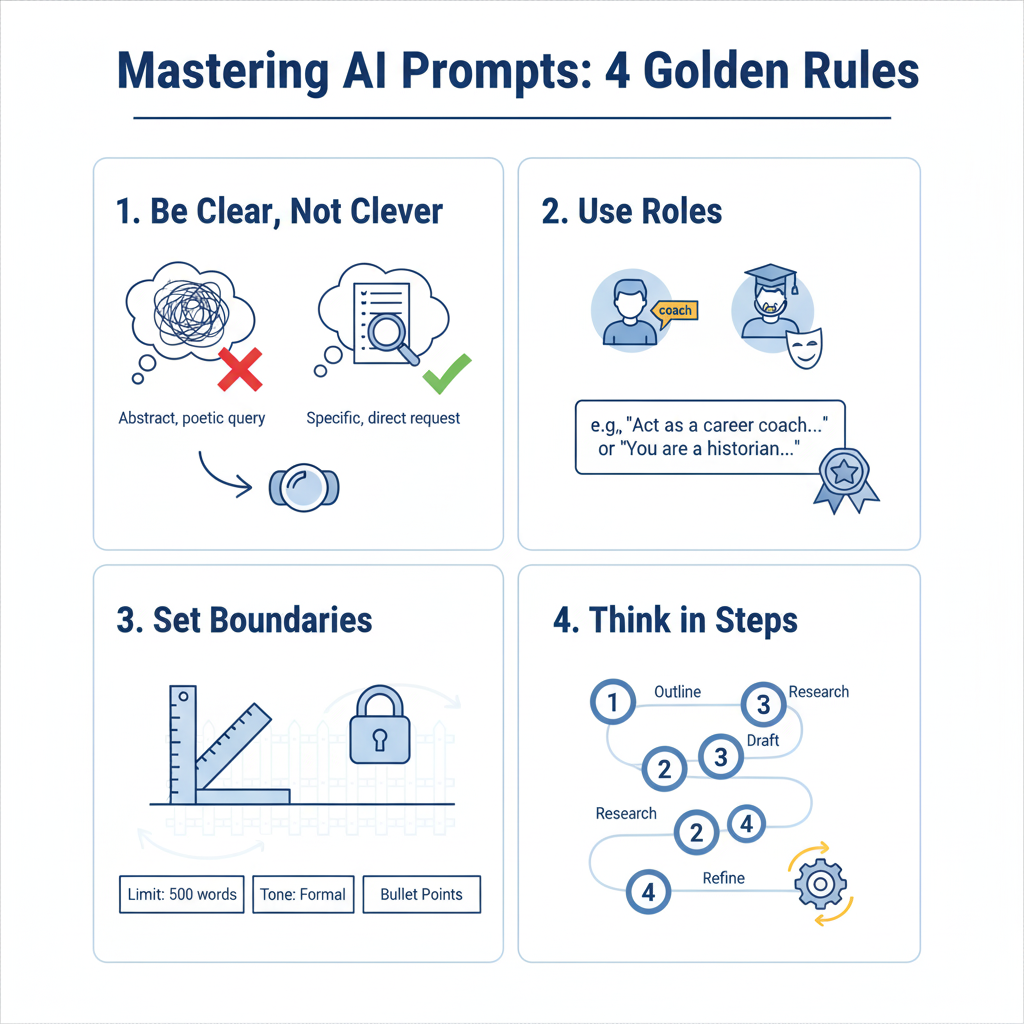
Tips for Getting the Smartest Results
- Be clear, not clever: The clearer and more precise your request, the better Gemini will respond.
- Use roles: For example: “You are a career coach helping a college graduate write a resume.”
- Set boundaries: Specify word limits, tone (formal vs. casual), or structure (bullet points, paragraphs, etc.) to keep the output focused.
- Think in steps: Break complex tasks into smaller parts rather than asking for everything at once.
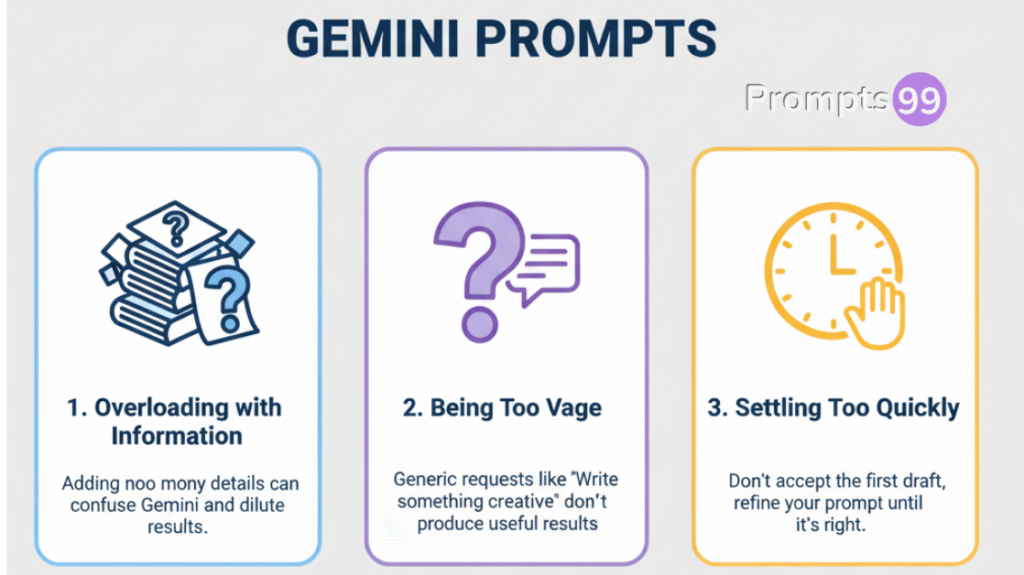
Mistakes People Often Make
- Overloading with information: Adding too many details into one prompt can confuse Gemini and dilute your results.
- Being too vague: Generic requests like “Write something creative” won’t produce targeted, useful results.
- Settling too quickly: Don’t accept the first draft, refine your prompt until you get exactly what you need.
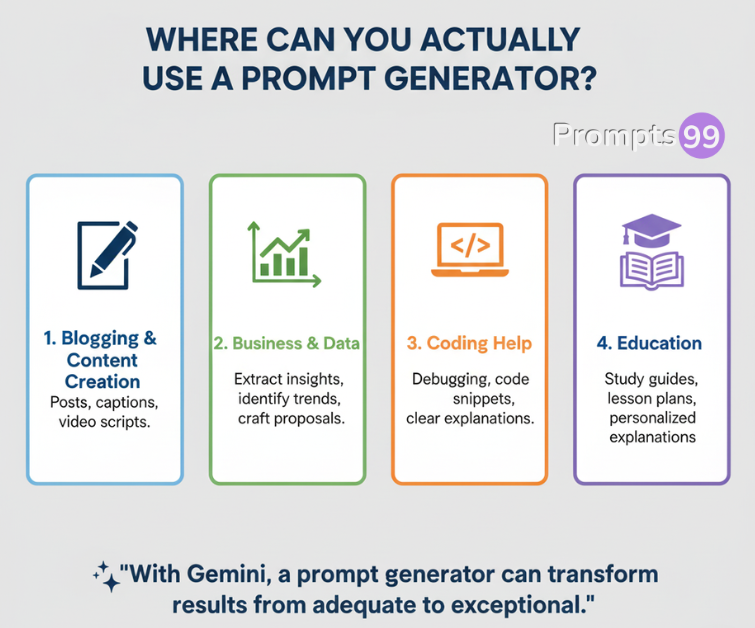
Where Can You Actually Use a Prompt Generator?
- Blogging & Content Creation:- Create engaging posts, compelling captions, and effective video scripts.
- Business & Data: – Extract key insights from reports, identify important trends, and craft persuasive proposals.
- Coding Help: – Solve debugging issues, generate useful code snippets, and receive clear explanations of complex code.
- Education: – Develop comprehensive study guides, structured lesson plans, and personalized explanations for students.
Put simply, whenever you use Gemini, a prompt generator can transform your results from adequate to exceptional.
Example Prompt
Example Prompt for Extracting Market Research Insights
Role
You are a professional market analyst with expertise in interpreting consumer behavior data.
Task
Analyze the provided survey results from our Q2 2025 customer satisfaction survey and extract key insights.
Requirements
- Summarize the most significant trends in customer satisfaction scores
- Identify the top 3 areas of improvement based on the feedback
- Compare these results to our Q1 2025 performance
- Suggest 2-3 actionable recommendations based on your analysis
Format
- Create an executive summary (150 words max)
- Present key findings in bullet points with supporting data
- Include one visual representation suggestion (chart type) for the most critical insight
- Total length: approximately 500 words
Audience
This report will be presented to the executive leadership team who needs clear, data-driven insights to inform strategic decisions.
This example shows how to structure a professional prompt that will generate high-quality market research analysis. It includes all the critical elements that make an effective prompt:
- Clear role assignment: Tells Gemini exactly what expertise to simulate
- Specific task definition: Explains precisely what needs to be accomplished
- Detailed requirements: Breaks down the deliverable into specific components
- Format specifications: Outlines exactly how the response should be structured
Audience context: Helps Gemini adapt the tone and complexity appropriately
By providing this level of detail, you’ll get a response that’s tailored exactly to your needs rather than generic information that requires extensive revision.
My personal promt that i use most of time Link
FAQ – Frequently Ask Question
How to write good prompts for Google Gemini?
Be specific about what you want, provide necessary context, and structure your request clearly. Instead of vague requests like “Write about fitness,” try “Write a 300-word article on home workout tips for busy professionals in a friendly tone.”
Does Google Gemini have a prompt limit?
Yes. Gemini limits input size by tokens (a combination of words and characters). When your prompt exceeds this limit, consider breaking it into smaller, focused requests or removing unnecessary details.
Is Google Gemini better than ChatGPT?
Each has different strengths. Gemini works exceptionally well within Google’s ecosystem and excels at research-based tasks. ChatGPT often performs better for creative writing and maintaining extended conversations. Choose based on your specific needs.
What can I do with Gemini AI?
Gemini handles a wide range of tasks including content creation, data analysis, brainstorming ideas, debugging code, summarizing research, drafting communications, and much more. Its capabilities extend across personal, educational, and professional applications.
What is zero-shot vs few-shot prompts?
Zero-shot prompting = providing instructions without examples, letting Gemini interpret your request directly.
Few-shot prompting = including example patterns in your prompt to guide Gemini toward your desired output format and style.
How to give better prompts to Chat GPT?
Apply similar principles as with Gemini: be specific about your needs, establish clear roles, provide relevant context, and refine your approach based on results. Both AI systems respond best to clear, structured instructions.
How to design the prompt?
Begin with your objective, provide background information and context, specify your requirements (format, tone, length), and iterate by refining your prompt based on the AI’s responses until you achieve your desired results.
How to get Google Gemini to respond?
If Gemini isn’t responding as expected, try simplifying your request, breaking complex questions into smaller parts, or rephrasing with more straightforward language. Sometimes removing ambiguity or reducing complexity yields better results.
Conclusion
Let’s be honest, AI tools like Gemini can feel like talking to a wall sometimes. You ask for one thing, and you get something completely different. That’s why having a good prompt generator is like having a translator who helps you speak “AI language.”
Think about it this way: You wouldn’t walk up to a stranger and blurt out a random request without context, right? The same goes for Gemini. Taking a few extra moments to structure your prompt properly can save you from that frustrating cycle of asking, getting confused responses, and asking again.
The best part? Once you get the hang of it, you’ll start seeing Gemini as less of a mysterious black box and more of a helpful assistant that’s actually on your wavelength. Your friends might even wonder how you’re getting such amazing results while they’re still struggling with basic responses.
So give it a try! Start with something simple, be crystal clear about what you want, and watch as Gemini transforms from a sometimes-helpful tool into your go-to digital sidekick. Trust me, your future self will thank you for mastering this skill now.
