
SEO Prompt to analyse your Competitor
WHY USE THIS Your page is better on paper but still loses. The answer is almost never about the content itself. PROMPT → Here is my page: [paste URL or content]. Here is the competitor page that outranks mine: [paste content]. I want you to ignore word count, keyword density, and backlink numbers. Tell me: what does a first-time visitor understand in 10 seconds from their page that they don’t understand from mine? What trust signal exists on their page that mine is missing? Quote exact lines from both pages to prove your point. Then give me one specific thing to add to my page that would close this gap. HOW IT HELPS Forces Claude to look at trust signals, click behavior, and brand authority, the invisible ranking factors most audits miss completely.
SEO Prompt for Ranking Improvement ( calculate Velocity Score )
Most SEOs track impressions and clicks. Nobody systematically tracks the rate of change of position over time per query. GSC gives you 16 months of data. This strategy uses that data to identify queries in active ranking decline before they fully collapse, and triages which pages need intervention and in what priority order. Why This Is Non-Obvious Position drops are usually caught late, after traffic has already cratered. By measuring velocity (not just position), you can intercept a page declining at -0.3 positions/week and intervene 8 to 12 weeks before a competitor overtakes you. Most SEOs look at snapshots. You are looking at derivatives. Calculate Velocity Score For each query, calculate a linear slope across the four position data points. Negative slope equals ranking decline. Velocity Score Action Required 0 to -0.1 pos/week Monitor only -0.1 to -0.3 pos/week Content refresh within 60 days -0.3 to -0.6 pos/week Full content rewrite + internal link audit -0.6 or steeper Emergency: full page overhaul Cross-Reference Impression Volume Prioritize queries where velocity decay is severe AND impressions exceed 1,000 per month. A page declining fast on a low-volume query is not worth the same intervention as one declining on a 50,000 impression query. Use this prompt after you have exported your GSC data into a CSV or pasted query data directly into Claude. Prompt You are an expert SEO analyst. I am going to give you a dataset of keywords from Google Search Console. Each row contains: Keyword | Position_Now | Position_30d_Ago | Position_90d_Ago | Position_180d_Ago | Monthly_Impressions Your job is to: 1. Calculate a velocity score for each keyword by computing the linear slope of position change across all 4 time points. A positive slope = ranking is rising. A negative slope = ranking is falling. 2. Classify each keyword into one of these tiers: – CRITICAL (slope worse than -0.6/week): needs emergency rewrite – HIGH RISK (slope -0.3 to -0.6): needs rewrite within 30 days – WATCH (-0.1 to -0.3): needs refresh within 60 days – STABLE (0 to -0.1): no action – IMPROVING (positive slope): flag as wins 3. For each CRITICAL and HIGH RISK keyword, give a 2-sentence hypothesis for why it is declining based on the position curve shape. A sharp sudden drop = likely algorithm or content issue. A gradual slow decline = likely competitor gaining ground or new SERP feature. 4. Output a prioritized action table sorted by: CRITICAL first, then by monthly impressions descending within each tier. Here is my data: [PASTE YOUR GSC CSV DATA HERE – keyword, positions across 4 dates, impressions]
SEO Prompts: AI Overview Citation Optimizer
Since March 2026, Google AI Overviews resolve over 65% of queries before users even see the blue links. Getting cited inside an AI Overview is now more valuable than ranking position 1. This is completely new territory that 99% of SEOs in India are ignoring. Common Mistake SEOs Are Still Making SEOs are still celebrating position 1 rankings while their click traffic drops every month. They have no strategy for the layer ABOVE the blue links. Step-by-Step Execution Track AI visibility monthly: in GA4, create a segment for referrer containing ‘google.com’ with zero organic keyword data this is often AI Overview traffic that is unattributed Prompt How to Use This Prompt + What Output to Expect Paste your full article + keyword. Get back: rewritten opening, Quick Answer box copy, 5 FAQ schema items as JSON-LD, and 3 statistics you need to add. Takes 3 minutes per page. Run on every page that shows an AI Overview for its target keyword.
SEO Prompts: Outrank Any Website Using This Claude AI SEO Prompt
Imagine your page is already ranking in the top 10 on Google but you are stuck at position six or seven and not getting the traffic you expected. Most people at this stage start building more backlinks or randomly adding content, but that is not the real issue. The real problem is that you do not fully understand why your competitors are ranking above you and what exact signals Google is rewarding in their content. In this guide, you will learn how to use a powerful AI prompt to reverse engineer your competitors, uncover hidden content gaps, and identify opportunities that even top ranking pages are missing. This approach is not about copying content. It is about understanding ranking logic, user intent, and unmet needs so you can build a page that deserves to rank higher. To use this strategy, start by selecting the right keyword from Google Search Console. Choose a keyword where your page is already ranking in the top ten positions and getting impressions. This indicates that Google is already testing your content and there is a strong chance to improve rankings with better optimization. Next, search that keyword on Google and identify the top three ranking pages. These are your direct competitors for that query and their content structure, depth, and user value are the main reasons they are ranking above you. Once you have identified competitors, collect the core content from each page including headings, key sections, and FAQs. Also take your own page content. Now use the detailed AI prompt and provide all four pieces of content to the tool. The goal is to let the AI analyze patterns across competitors and compare them directly with your page to find meaningful differences, not just surface level suggestions. When you receive the output, focus on the most important insights. Look for missing sections that competitors have covered and you have not. Identify weak areas where your content lacks depth or clarity. Pay close attention to unmet user needs, which are questions or concerns that even competitors have not addressed. These are the biggest opportunities to stand out. Also analyze intent gaps, where your page may not fully satisfy the different ways users search for that keyword. After this, upgrade your content strategically. Add new sections using proper headings, expand important topics, include relevant FAQs, and improve clarity in your explanations. Add real examples, practical insights, or data where possible to increase trust and usefulness. The goal is not to rewrite the entire article but to enhance it in a way that aligns better with both user expectations and Google’s ranking signals. Finally, once your updates are complete, submit the page again in Google Search Console for indexing. This helps Google re-evaluate your improved content faster. Over time, this method allows you to move from lower positions on page one into higher rankings by combining competitor strengths and filling the gaps they missed. Prompt Act as a senior SEO strategist with 15+ years of experience in Google Search, Helpful Content, E-E-A-T, and AI search systems (like SGE, ChatGPT, Perplexity).I will provide you:1. My page/post content (or URL)2. Top 3 ranking competitor pages (or URLs)Your job is NOT just to compare content. Your job is to reverse-engineer ranking advantage and help me OUTRANK them with real strategy.———————————–STEP 1: Deep Competitor Breakdown———————————–For each competitor page:- Identify content structure (H1, H2, H3 flow)- List all sections they cover- Extract FAQs, unique angles, and hidden topics- Identify: – Information depth – Content freshness – Use of examples, data, or proof – Internal linking patterns (if visible) – Trust signals (author, experience, credibility)Then summarize:Why Google might be ranking this page in top positions———————————–STEP 2: My Page vs Competitors (Gap Analysis)———————————–Compare my page with competitors and find:- Missing sections (very important)- Weak sections (surface-level content)- Missing intent coverage- Lack of trust or experience signals- Poor content flow or structure issuesCategorize gaps into:A. Critical gaps (must fix to compete)B. Opportunity gaps (can help outrank)C. Expansion gaps (can create topical authority)———————————–STEP 3: Search Intent Deconstruction (ADVANCED)———————————–Analyze the keyword intent deeply:- What EXACT intent Google is rewarding?- Are competitors solving: – informational intent? – comparison intent? – decision intent? – problem-solving intent?Identify MICRO-intents inside the keyword (this is critical)Example:Instead of just “best mic”→ “budget mic”, “for youtube”, “for beginners”, “noise reduction”Now tell:Which intents competitors are coveringWhich intents are completely underserved———————————–STEP 4: Unmet User Needs (GAME-CHANGER)———————————–This is the MOST IMPORTANT part.Identify:- Questions users might have but competitors ignored- Doubts, fears, or confusion points- Real-life use cases missing- Decision-making gapsThink like a real user, not an SEO tool.Then suggest:- New sections I can add that NO competitor has- Unique angles that create “wow factor”- Experience-based additions (examples, case studies, insights)———————————–STEP 5: CTR & SERP Psychology Optimization———————————–Based on competitors:- Analyze why users might click them- Suggest: – Better title (high CTR, curiosity-driven, not clickbait) – Better meta description – Hook ideas for first 3 linesFocus on: “Why should user click ME instead of them?”———————————–STEP 6: Content Upgrade Blueprint———————————–Give me a clear execution plan:- New H2/H3 sections to add- FAQs to include (based on real gaps)- Content expansion ideas- Internal linking suggestions- Schema suggestions (FAQ, HowTo, etc.)———————————–STEP 7: Differentiation Strategy (ADVANCED SEO)———————————–Give me something that makes my content 10X better:- Can I add tools? (calculator, checklist, comparison table)- Can I add data-driven insights?- Can I add experience-based storytelling?- Can I turn this into a “linkable asset”?Goal: Not just rank — become BEST result on internet———————————–IMPORTANT RULES:———————————— Do NOT give generic SEO advice- Do NOT repeat common suggestions- Every recommendation must have LOGIC (why it helps ranking)- Think like Google algorithm + real user combined- Focus on ranking, engagement, and long-term authority———————————–FINAL OUTPUT:———————————–Give:1. Key insights summary2. Top 5 actions with highest impact3. Full content upgrade plan
MASTER SEO PROMPT: Impression Mining SEO Strategy ( Search console )
When I use this SEO prompt, my goal is simple, I want to turn raw Google Search Console data into a clear, actionable SEO plan without guessing. Instead of just looking at impressions and clicks randomly, I let the prompt identify high-impression, low-CTR keywords where Google is already giving me visibility but users aren’t clicking. Then, I break those queries into three smart buckets: the ones I should strengthen inside my existing page, the ones that need supporting content, and the ones that deserve completely separate articles. This helps me avoid the common mistake of mixing different search intents on one page. After that, I use the prompt to upgrade my content with better structure, missing subtopics, and FAQs, while also creating new content ideas for expansion. The most powerful part is CTR optimization rewriting titles and meta descriptions based on real query data, not assumptions. Overall, this prompt acts like a complete SEO assistant for me, helping me improve rankings, increase clicks, and build a strong topical authority system step by step. SEO Prompt I will provide you with Google Search Console (GSC) data for a specific page, including:- Page URL- Queries- Clicks- Impressions- CTR- Average PositionYour task is to perform a complete “Impression Mining SEO Analysis” and optimization plan.Follow these steps:STEP 1: Identify Opportunity- Analyze the data and identify queries with: – High impressions – Low CTR (below 3–5%) – Positions between 5–20 (optional but preferred)- These are high-potential keywords where Google is already testing visibility.STEP 2: Query Classification (VERY IMPORTANT)Classify all queries into 3 buckets:Bucket A: – Highly relevant to the page’s main intent- Should be strengthened within the existing pageBucket B:- Partially relevant but not fully covered- Needs supporting sections or separate supporting contentBucket C:- Different intent or deserves its own dedicated article- Should NOT be forced into the main pageSTEP 3: Content Optimization Plan (for Bucket A)For all Bucket A keywords:- Suggest: – New H2/H3 headings – Missing subtopics – FAQs (5–10) – Examples, comparisons, or use cases- Improve topical depth WITHOUT keyword stuffing- Focus on “people-first helpful content”STEP 4: Content Expansion Plan (for Bucket B & C)- For Bucket B: – Suggest supporting sections OR new supporting articles- For Bucket C: – Suggest completely new article ideas- For each new article: – Provide: – Title – Target keyword – Search intent – Internal linking suggestion (how to link with main page)STEP 5: CTR Optimization (CRITICAL)- Rewrite 3–5 SEO-friendly titles using: – Curiosity – Numbers – Power words – Clear intent match- Rewrite meta descriptions: – Focus on click appeal + clarity – Include primary keyword naturallySTEP 6: Internal Linking Strategy- Suggest: – Anchor text variations (5–10) – Where to place internal links – How to connect cluster pagesSTEP 7: Final Output FormatProvide output in this structure:1. High Opportunity Keywords (Table)2. Bucket A / B / C Classification3. Content Upgrade Plan (Existing Page)4. New Content Ideas (Supporting + Separate Articles)5. Title & Meta Suggestions6. Internal Linking StrategyImportant Guidelines:- Do NOT suggest keyword stuffing- Focus on search intent clarity- Keep SEO practical and actionable- Avoid generic advice — be specific to the dataNow wait for my GSC data. How to use this Prompt Impression Mining SEO Strategy This method is about finding pages that already get visibility from Google but are underperforming on clicks or not fully aligned with search intent. Step 1: Open GSC and go to Performance. Filter the date range to the last 3 months or 6 months so you have enough data. Search Console’s Performance report is designed exactly for reviewing clicks, impressions, CTR, and average position. Step 2: Find pages with high impressions but weak CTR. Go to the Pages tab, sort by impressions, then look for pages that have strong impressions but low CTR. This usually means Google is testing your page, but searchers are not choosing it enough. Step 3: Open the queries for one page. Click that page, then go to Queries. Now you’ll see all the keywords Google is already associating with that URL. This is where the hidden gold comes from. Step 4: Separate the queries into 3 buckets. Step 5: Upgrade the existing page for Bucket A. Add missing subheadings, FAQs, examples, comparisons, definitions, or use cases. Do not stuff keywords. Make the page genuinely more complete and more useful for the user. Google explicitly recommends people-first, helpful content rather than content made only to manipulate rankings. Step 6: Create support content for Bucket B and C. If the query is related but too different in intent, make a dedicated supporting article and internally link it to the main page. Step 7: Improve title and meta for CTR. If impressions are there but clicks are weak, the issue can be packaging. Rewrite title and description around the actual query theme shown in GSC.
SEO Prompts: Improve your Rankings using Search console Data
Hello Everyone, this prompt is used to analyze Google Search Console data to identify “striking distance” keywords keywords that are already ranking between positions 10 and 20 in Google search results. These keywords are valuable because they are close to the first page or top positions and can often move into the Top 5 with proper optimization such as content improvements, internal linking, and backlinks. The prompt filters these keywords from the data and then generates additional SEO insights, including semantically related keywords, long-tail variations, and natural anchor text suggestions for link building. This helps SEO professionals quickly find high-potential ranking opportunities and create a targeted optimization strategy to improve rankings faster. Prompt I will provide Google Search Console data from the last 3 months. Your task is to analyze the data and identify keywords that have average positions greater than 10 and less than 20. These are “striking distance” keywords that have the potential to move into the Top 5 with optimization. Steps: Guidelines for anchor text: Output format: Keyword | Ranking URL | Avg Position | Related Keywords | Long-Tail Variations | Anchor Text Suggestions
20 Stunning Cinematic Prompts for Gemini AI (Boy Edition)

If you’ve ever looked at an AI-generated photo or video and thought, “How can I make mine look that cinematic?” then you’re in the right place. (Learn how Google Gemini AI interprets creative prompts for image generation.) In this guide, I’ve handpicked 20 stunning cinematic prompts for Gemini AI that can transform your visuals into pure movie magic. Whether you’re creating dramatic portraits, dreamy outdoor shots, or stylish modern looks, these prompts will help you express emotion, story, and personality in every frame. Each prompt here is crafted with care, inspired by real cinema tones, lighting moods, and camera angles, so you can generate visuals that truly feel alive, not just look AI-made. By the end of this article, you’ll have a full library of prompts you can use instantly for your projects, portfolio, or social media creations to stand out and make your art unforgettable. (If you’re new to AI image generation, explore Google’s Gemini AI Help Center to understand how prompt-to-image models work.) So, sit back, take a deep breath, and let’s explore the cinematic world of Gemini AI prompts made especially for you. If you want to generate prompts you can try our prompt generator tools, we have custom designed prompt generators. 20 Best Cinematic Gemini Ai Prompts for boys High-Impact Cinematic & Story-Driven Prompts Stylized & Genre-Specific Gemini Prompts Technical & Detail-Focused Gemini Prompts Expressive & Emotional Scenes And that’s it, you’ve just explored 20 of the most cinematic and expressive prompts for Gemini AI (Boy). Each of these prompts is more than just a line of text, it’s a doorway to creativity, emotion, and storytelling. Remember, what makes your AI art truly stand out is not just how detailed the prompt is, but how deeply it connects with emotion and atmosphere. When you describe light, texture, and feeling with clarity, Gemini understands your vision better and gives you results that look stunningly real and cinematic. If you’re passionate about crafting visuals that feel like they belong on the big screen, keep experimenting, keep refining, and keep adding your personal touch to every scene you create. That’s how true artistry grows, not by copying, but by evolving with every image you generate. I hope this article helped you not just find new prompts, but also inspired you to look at AI creativity from a more artistic point of view. If you enjoyed this collection, don’t forget to explore our upcoming post “20 Gemini AI Prompts Collection” where we’ll go even deeper into cinematic moods, storytelling shots, and emotional lighting styles. (Meanwhile, check out Google DeepMind’s blog for insights into how generative AI learns to interpret style and storytelling.) Until then, stay creative, stay curious, and let your imagination roll like a movie camera.
AI Email Prompts: Write Replies in Seconds and Save 80% of Your Time

AI email prompts help you write email replies in seconds by turning short instructions into ready-to-send drafts. Instead of typing every response manually, you just tell the AI what you need – like a follow-up, pricing reply, or polite decline – and it generates a professional email instantly. This cuts inbox time by up to 80%, freeing you to focus on business growth instead of repetitive typing. Why Do Professionals Spend So Much Time on Emails Instead of Using AI Email Prompts? Most professionals – entrepreneurs, marketers, and freelancers included – spend 2–3 hours a day answering emails. A large chunk of this time is spent on repetitive tasks: This repetitive cycle eats into valuable hours that could be used for strategy, client work, or business growth: How AI Email Prompts Automate Replies and Cut Inbox Time AI prompts act like instructions you give to a tool such as ChatGPT, Google Gemini, or Notion AI. Instead of typing every email manually, you can feed the tool a short command (prompt), and it instantly generates a professional reply. For example: With the right prompts, you reduce writing time by up to 80% while keeping your emails professional and personalized: Best Free AI Email Prompts Tools for Automation: You don’t need expensive software. Here are some free tools: These tools are entity-recognized by Google, which helps your blog rank for tool-related searches. AI Email Prompts for Customer Queries and Quick Responses Here are some ready-to-use prompts: These prompts save time while maintaining trust. Best AI Email Prompts for Client Follow-Ups Without Being Pushy: Follow-ups are sensitive you want to remind without annoying: With these prompts, you stay top-of-mind without sounding demanding. How to Make AI Email Prompts Sound Natural and Human Declining emails are tricky – you want to protect relationships while saying “no.” These templates help you maintain goodwill even when declining. How do I make AI-generated emails sound natural? AI can draft emails, but a human touch makes them effective. Here’s how: Top Benefits of Using AI Email Prompts for Professionals FAQ Q1. What are AI Email Prompts?AI Email Prompts are short instructions you give to AI tools like ChatGPT or Google Gemini to generate professional email replies instantly. Instead of typing everything from scratch, you just enter a prompt and get a ready-to-send draft. Q2. How can AI Email Prompts save time?Using AI Email Prompts reduces typing time by up to 80%. For example, instead of writing a follow-up manually, you can simply type a prompt like “Write a polite follow-up email for a pending proposal” and the AI creates a polished draft in seconds. Q3. Are AI Email Prompts free to use?Yes. Many tools like ChatGPT (free plan), Google Gemini, Notion AI, and Canva Magic Write allow you to use AI Email Prompts without paying. Gmail extensions like Merlin and Flowrite also offer free tiers. Q4. Can AI Email Prompts handle customer support replies?Absolutely. AI Email Prompts can draft responses for pricing questions, delivery issues, or refund requests. However, always personalize them before sending to maintain trust and authenticity. Q5. Will AI Email Prompts replace manual email writing completely?Not fully. AI handles the bulk of the writing, but you should still add personal touches like the recipient’s name, project details, or specific timelines to keep the email natural and professional. Q6. Which AI Email Prompts are best for follow-ups?Examples include: Take Action: Let AI Email Prompts Handle Your Inbox “Still typing the same emails over and over? Let AI do the heavy lifting. [Get the Complete Prompt Guide] and cut your email time by 80%.” Conclusion: Work Smarter with AI Email Prompts, Not Harder Emails will always be a part of professional life, but they don’t have to consume your entire day. With the right AI prompts, you can turn repetitive typing into quick, polished replies that save time, reduce stress, and keep communication professional. Instead of spending hours stuck in your inbox, you’ll finally have the freedom to focus on strategy, growth, and the work that truly matters. Start using AI prompts today – and watch your inbox go from overwhelming to effortless.
Advanced Prompt Analyzer-Unlock Smarter AI with Prompts99
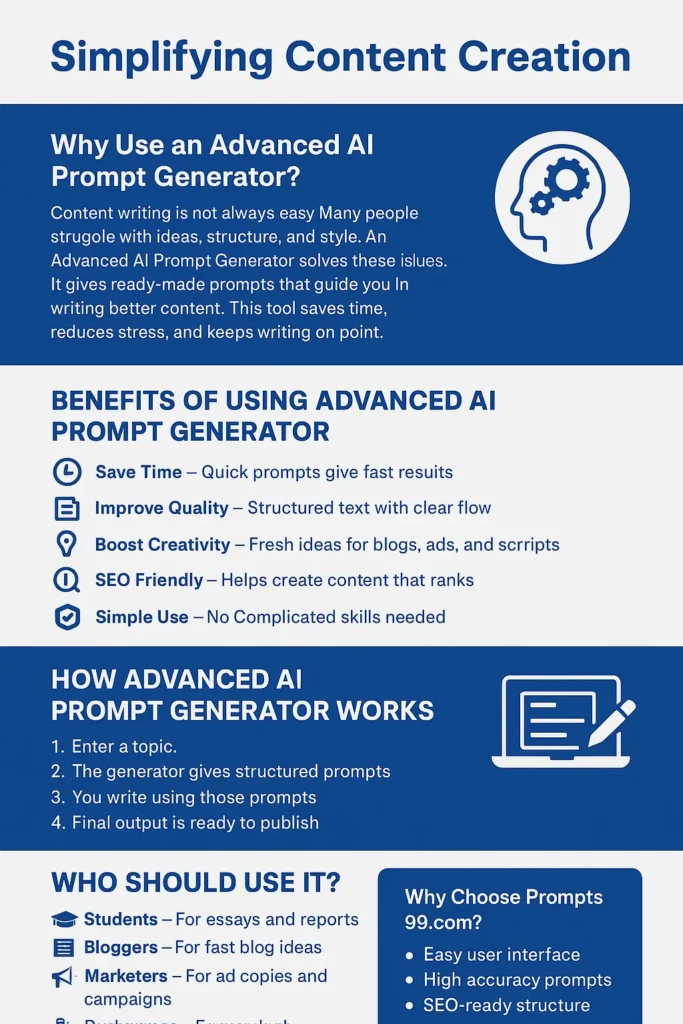
The world of artificial intelligence is moving fast, and prompts are the backbone of AI communication. A well-structured prompt helps get the right answers from AI tools. But not all prompts are effective. This is where Advanced Prompt Analyzer comes in. It is a smart way to test, refine, and improve prompts for better results. Platforms like Prompts99.com help users get the most out of their AI tools by using analyzers to optimize prompts in simple steps. Unlike basic prompt testing, Advanced Prompt Analyzer gives users insights into clarity, length, tone, and relevance. This helps avoid wasted time and ensures high-quality outputs every time. Whether you are a student, marketer, or business owner, prompt analysis has become a key part of daily AI use. Why Advanced Prompt Analyzer Matters? Prompts shape the answers you get from AI. Weak prompts can lead to poor results, while strong prompts bring accurate and detailed responses. Advanced Prompt Analyzer ensures that every word in the prompt serves a purpose. Here are the main reasons why it matters: By using this method, you unlock the real power of AI and gain control over the output. Features of Advanced Prompt Analyzer The Advanced Prompt Analyzer comes with simple yet powerful features. Feature Benefit Prompt Scoring Rates prompt strength for improvement Tone Analysis Adjusts tone for audience needs Length Check Ensures prompts are not too long or short Keyword Fit Matches prompts with target keywords Output Prediction Helps forecast expected AI response These features allow users to polish prompts before sending them to AI tools. The result is faster, smarter, and more accurate responses. How Prompts99.com Helps? Prompts99 is a trusted platform that supports users in mastering prompt writing. Their Advanced Prompt Analyzer guides you through each step. You can copy your prompt into the tool, get instant analysis, and apply the suggestions. The platform is designed for beginners as well as advanced users. Businesses can use it for marketing campaigns, while writers can apply it to improve blog posts, social media updates, and even email content. The tool is flexible and adapts to many needs. Benefits of Using Advanced Prompt Analyzer This makes prompt analysis not just a tool but also a teacher for better AI use. FAQs Q1: What is Advanced Prompt Analyzer? A: It is a tool that checks and improves prompts to get better AI responses. Q2: Who can use it? A: Anyone from students to businesses who want better results from AI. Q3: How does it save time? A: By analyzing prompts before they are sent, it avoids repeated errors. Q4: Is it beginner-friendly? A: Yes, Prompts99.com makes the tool simple for all users. Final Thoughts The success of AI depends on the quality of prompts. With Advanced Prompt Analyzer, you can refine your prompts, improve accuracy, and save time. Platforms like Prompts99.com make it easy for anyone to use this tool. Whether for personal use or business, prompt analysis is the smart way forward.
Why Your Product Descriptions Fail (And How a Prompt Generator Can Fix Them)
If you’ve ever stared at your ecommerce dashboard and wondered why shoppers keep visiting your store but rarely click “Add to Cart,” you’re not alone. I’ve been there myself. A few years ago, I launched a small online shop, and I thought simply listing the specs of my products was enough. It wasn’t. My descriptions were bland, robotic, and honestly forgettable. Sales trickled in, but most visitors bounced. What I eventually realized is that product descriptions aren’t just filler text they’re your digital sales team. When they fail, your entire conversion funnel suffers. In this blog, we’ll uncover why so many product descriptions miss the mark and how a simple but powerful tool an AI prompt generator can completely change the game. The Real Cost of Poor Product Descriptions Let’s get brutally honest: bad copy is expensive. A Baymard Institute study found that 20% of failed online purchases are tied directly to unclear or incomplete product information. Imagine pouring money into ads only to lose customers Common Reasons Why Product Descriptions Fail 1. They’re Too Generic I can’t tell you how many stores I’ve seen copy-paste the manufacturer’s text. Google hates it. Customers hate it even more. When every store uses the same wording, your product becomes invisible in search results and unmemorable in the customer’s mind. 2. They Ignore the Customer’s Perspective Listing technical features is easy. But customers care about benefits. For example: One makes you skim. The other makes you buy. 3. SEO Basics Are Missing If your descriptions don’t include relevant keywords, LSI terms, and structured data, they’ll struggle to rank. Think beyond “wireless speaker” to phrases like “wireless portable speaker” or “mini Bluetooth speaker.” 4. They’re hard to Read Huge walls of text are intimidating. Nobody wants to dig through a paragraph to find one spec. Modern shoppers skim. They need bullet points, bold text, and scannable formatting. 5. They Don’t Match Buyer Intent A description aimed at a casual hobbyist won’t resonate with an industrial buyer. Yet many stores use one-size fits all language. The result? Nobody feels understood. Why SEO Friendly Product Descriptions Are Non-Negotiable If your descriptions aren’t optimized for search, you’re already behind. Here’s why: How a Prompt Generator Can Fix These Problems 1. Unique, SEO Optimized Copy at Scale Prompt generators create fresh, original text for each product, solving the duplicate content issue instantly. Plus, they can weave in primary keywords and LSI terms naturally. 2. Tailored to Buyer Intent Need a technical, B2B focused tone for one product and a casual, friendly vibe for another? A good prompt generator adapts instantly, giving you descriptions that speak directly to your audience. 3. Better Formatting and Readability Instead of endless text, AI can generate bullets, highlights, and engaging phrasing. That means your descriptions don’t just inform they sell. 4. Scalable for Large Inventories Running a store with hundreds of products used to mean endless hours of writing. With AI, you can generate descriptions in minutes and then fine tune them. 5. Conversion-Oriented Language Prompt generators can include power words like “durable,” “exclusive,” “premium,” and even craft subtle calls to action that push buyers closer to checkout. Step-by-Step Guide: Using a Prompt Generator for Product Descriptions Step 1 Define Your Product & Buyer Persona Before touching AI, decide who you’re speaking to. Is your buyer a procurement manager or a DIY enthusiast? Step 2 Input Keywords and Features Feed the AI with your target SEO keywords, unique selling points, and technical details. Step 3 Generate Multiple Variations Don’t settle for the first output. Generate 3-5 options and compare. Step 4 Human Edit for Accuracy and Brand Voice AI is powerful, but it’s not perfect. Always add a human touch your brand personality should shine through. Step 5 Publish, Test, and Track Upload, then monitor engagement and conversion rate. If sales improve, you know you’re on the right track. Best Practices for Product Description SEO Over the years, I’ve discovered a few golden rules: Conclusion Weak product descriptions silently bleed revenue. They fail to rank, fail to connect, and fail to convert. But with the right approach and the right tools like prompts99 you can turn them into one of your strongest sales assets. An AI prompt generator isn’t about replacing human creativity. It’s about amplifying it, giving you a head start with unique, SEO rich drafts you can refine into persuasive, brand aligned copy. If you’ve struggled with stale, underperforming product descriptions, now’s the time to rethink your strategy. Don’t let poor copy cost you another lost sale optimize smarter. FAQs What makes a product description effective for SEO? It should use primary and LSI keywords naturally, be unique, scannable, and aligned with buyer intent. How can AI improve ecommerce product descriptions? By generating unique, SEO rich, conversion-oriented text that saves time and scales across large inventories. Are AI generated descriptions safe for SEO ranking? Yes, as long as they’re unique, human-reviewed, and optimized with keywords. Do I still need human editing if I use an AI prompt generator? Absolutely. AI speeds things up, but human editing ensures brand voice and accuracy.
